
Choosing a school management system for a K-12 school is not just a technology decision. It is an operations decision.
The right platform can reduce repetitive admin work, make daily teaching workflows easier, improve parent visibility, and help school leaders act earlier when attendance or academic issues begin to appear. The wrong one can do the opposite: add clicks, slow teachers down, create fragmented records, and make adoption harder than it should be.
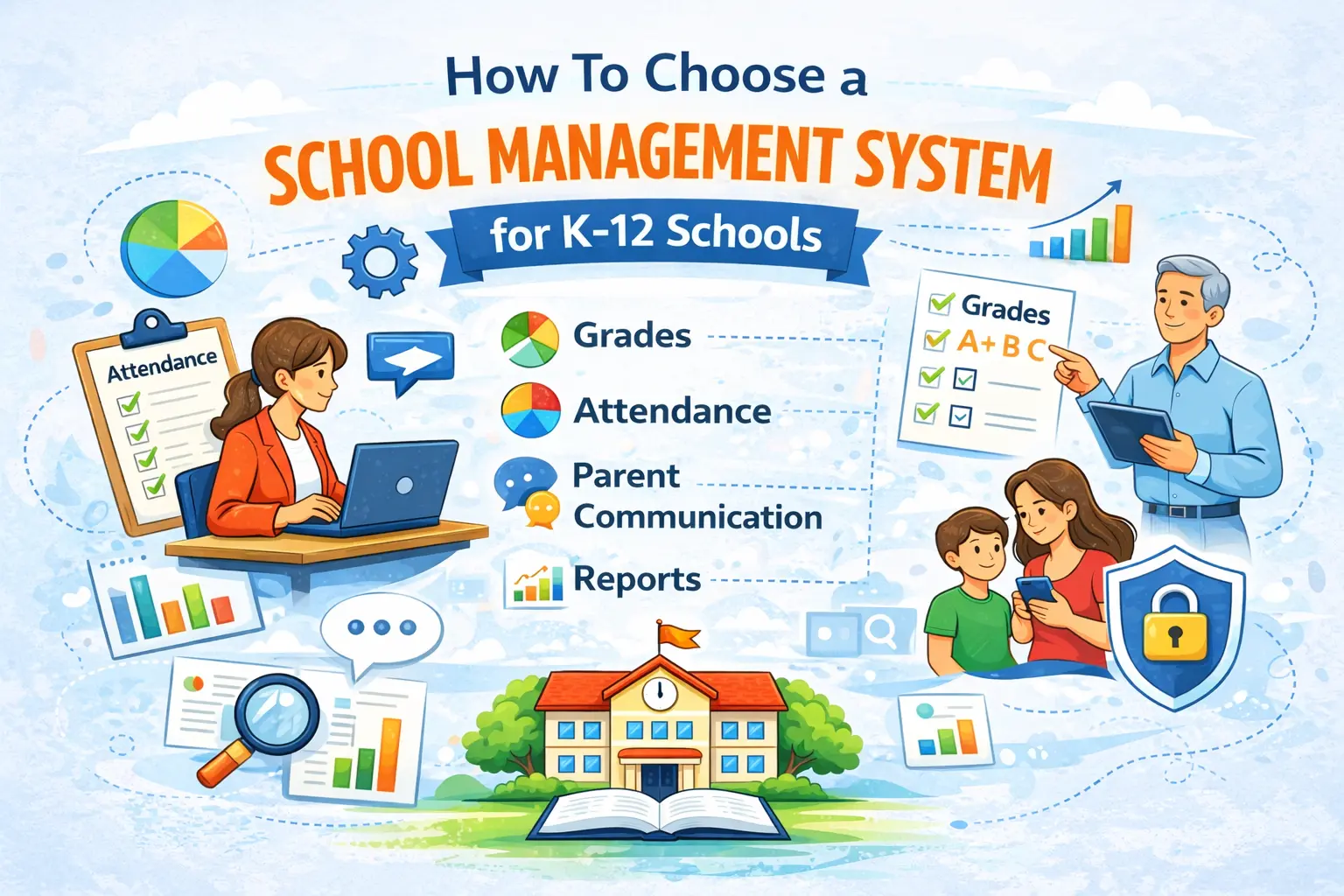
That matters because schools evaluating software in this category are usually looking at the same core needs again and again: grades, attendance, communication, student records, and reporting. Those capabilities show up consistently across school administration software listings and student information system platforms.
If your school is comparing options, the most important question is not “Which platform has the longest feature list?” It is: Which system best fits the way our teachers and administrators actually work every day?
What is a school management system?
A school management system is a broad term for software that helps schools manage day-to-day operations. Depending on the platform, that may include attendance, grades, communication, reporting, student records, and school-wide visibility.
You will also see the term student information system, or SIS. In many cases, the terms overlap. Broadly speaking, SIS platforms are often centered around securely managing student data, attendance, and grades across K-12 schools, while “school management software” is often used more broadly in the market to describe operational and administrative school tools.
The important thing is not the label. The important thing is whether the system helps your school run better.
Start with workflow problems, not feature lists
One of the most common mistakes schools make is evaluating software by feature count alone.
A long feature list may look impressive in a demo, but if teachers struggle with daily use, the platform will not deliver the value the school expected. A better starting point is to identify the actual friction points your staff deals with every week.
For example:
- Is attendance taking longer than it should?
- Is grade entry too slow or too clunky?
- Are behavior notes living in separate documents or spreadsheets?
- Are parent updates inconsistent because the process has too much friction?
- Can school leaders quickly see attendance patterns or grade trends?
These are the questions that matter because they reflect real school workflows. Across the category, vendors and reviewers repeatedly emphasize attendance, grading, communication, and reporting as central use cases, which is exactly why schools should begin with daily workflow rather than abstract feature volume.
1. Evaluate the gradebook workflow first
Teachers use the gradebook constantly. If the grade workflow is slow, unclear, or overloaded, frustration builds quickly.
When reviewing a platform, look beyond whether it technically includes a gradebook. Ask how easy it is to use in real classroom conditions.
A few practical questions to ask:
- How many steps does it take to enter grades?
- Can teachers move quickly during a busy school day?
- Does the interface feel intuitive without extra training?
- Is the gradebook built for daily teacher use or mainly for reporting?
This matters because even in a broader SIS category, grade management remains one of the most expected core functions.
If your school is looking for a lighter K-12 school management platform focused on everyday teacher workflow, this is one of the first areas to compare against your current process.
2. Attendance should be fast enough to use without resistance
Attendance is not a once-a-week workflow. It is repeated every day, often several times a day.
That means speed matters. A platform may support attendance on paper, but if the process feels slow or awkward, adoption suffers. In practice, one of the biggest signs of strong school software is whether teachers can complete attendance quickly and move on with instruction.
Good questions to ask include:
- Can attendance be taken directly from the class view?
- Does the workflow reduce clicks?
- Can school leaders later review patterns or trends?
- Does the system make daily use feel simple?
Attendance tracking is one of the most consistently highlighted capabilities in both SIS platforms and school administration software categories.
3. Behavior tracking is more useful when it is not separated from everything else
Many schools still handle behavior notes in disconnected ways: separate forms, spreadsheets, informal documents, or systems that do not connect well to academic and attendance information.
That creates blind spots.
A stronger approach is to evaluate whether behavior tracking can live within the same operational workflow as grades and attendance. When those areas connect, teachers and school leaders get a more complete picture of student progress and support needs.
This “one workflow” idea is not theoretical. Category descriptions and vendor examples repeatedly show attendance, grades, parent messaging, and behavior records being used together in school systems.
That is why many schools should specifically ask whether they can manage grades, attendance, and behavior in one system rather than splitting student visibility across multiple tools.
4. Parent communication should reduce friction, not add another barrier
Parent communication is one of the easiest things to underestimate during software evaluation.
On paper, many platforms offer parent access or communication tools. In practice, the question is whether families will actually use them. If parent communication depends on a complicated portal experience, too many steps, or another app that families are unlikely to adopt, visibility can remain inconsistent.
When evaluating this area, ask:
- How do parents receive progress updates?
- Is the experience simple and understandable?
- Does the platform help the school communicate consistently?
- Will this actually improve family visibility, or just create another login?
Parent-teacher-student communication is consistently described as a major value area in school administration software, and family portals or parent-facing visibility features are common expectations in the category.
This is also where a lighter workflow model can stand out. For example, a parent communication platform for schools does not necessarily need to be heavy to be effective. Sometimes simpler access leads to better real-world use.
5. Reporting and analytics should help schools act earlier
A school management system should do more than store information. It should help staff notice patterns sooner.
That could mean:
- identifying attendance trends
- spotting grade drops early
- reviewing progress by class or time period
- giving leaders a clearer school-wide view
If reporting is hard to access or difficult to interpret, the school loses one of the most valuable benefits of the platform.
This is a major reason analytics and dashboards appear so often in SIS positioning: school leaders want real-time visibility into student performance, attendance, and school operations.
When comparing platforms, do not just ask whether reports exist. Ask whether they are actually usable.
A good school analytics dashboard should help administrators move from raw data to action.
6. Security, permissions, and student data privacy are essential evaluation points
Any platform handling student information is a trust product.
Schools should ask direct questions about permissions, access controls, and privacy practices before making a decision. Even if a system looks strong operationally, weak visibility controls can create long-term risk and confusion.
Key questions include:
- Can staff access be limited by role?
- How is parent access controlled?
- What privacy standards does the vendor talk about?
- How is sensitive student information protected?
Major SIS vendors position secure management of student data as a core part of the category, which makes sense given the sensitivity of the information schools handle.
This does not mean every school needs the same security model, but it does mean every school should ask these questions before rollout.
7. Teacher adoption matters more than most software comparisons admit
A platform can be powerful and still fail.
Why? Because teachers are the people who use school systems every day. If a platform feels too complex, too dense, or too frustrating, adoption falls. And once adoption falls, data quality, consistency, and reporting quality usually fall with it.
That is why ease of use should be treated as a serious buying criterion, not as a nice extra.
When piloting a platform, ask teachers questions like:
- Would you want to use this every day?
- Does it save time or add steps?
- Does it feel clear without constant retraining?
- Can you complete common tasks quickly?
Ease of use and reduced manual work are repeatedly highlighted in school software positioning because they directly affect implementation success.
In other words: teacher-first school software is not just a branding phrase. It is often the difference between adoption and resistance.
8. Onboarding should be realistic for a busy school
Implementation matters almost as much as the platform itself.
A school may like what it sees in a demo, but if setup is slow, confusing, or too demanding for already busy staff, momentum can disappear before the platform has a chance to prove its value.
When discussing onboarding, ask:
- How long does setup usually take?
- What kind of training is required?
- Can the school pilot the workflow before full rollout?
- What support is available during onboarding?
This is especially important for schools that do not want to take on a massive replacement project and may prefer a lighter operational workflow instead.
9. Be clear on whether you need a full SIS or a lighter workflow platform
Not every school needs the same type of software.
Some schools truly need a full SIS with broad records management and district-scale infrastructure. Others may already have core systems in place and instead need a simpler platform that improves day-to-day workflows around grades, attendance, behavior, reporting, or parent updates.
That distinction matters because buying the wrong type of system can lead to over-complexity.
For example, the current Lekktura school page is positioned not as a full SIS replacement, but as a lighter school workflow platform centered on gradebook, attendance, optional behavior notes, parent progress reports, admin dashboards, and pilot onboarding.
That is an important model for schools that want simplification rather than a massive system overhaul.
10. Focus on day-to-day value, not just technical capability
In the end, schools should judge a platform by what it changes in daily practice.
A good school management system should help answer questions like:
- Does this save teachers time every week?
- Does this improve visibility for school leaders?
- Does this make parent communication more consistent?
- Will staff actually use it?
- Does this reduce fragmentation across workflows?
Those are better buying questions than “How many modules are included?”
Questions to ask before choosing a school management system
Before making a final decision, school leaders should be able to answer these questions clearly:
- How fast can teachers take attendance?
- How easy is it to enter grades?
- Can grades, attendance, and behavior be managed in one workflow?
- How do parents receive updates on student progress?
- What reports can administrators actually access and use?
- What permissions exist for different staff roles?
- What does onboarding look like in practice?
- Does this system replace our current tools, or work alongside them?
- Will teachers adopt it without resistance?
If a vendor cannot answer those questions clearly, that is a warning sign.
Common mistakes schools make during software evaluation
A few mistakes come up again and again:
Choosing based on feature count alone
More features do not automatically mean better outcomes.
Ignoring teacher workflow
If daily classroom use is frustrating, the system will underperform.
Underestimating parent communication friction
A tool is only helpful if families can realistically use it.
Treating reporting as an afterthought
Schools need visibility, not just storage.
Failing to define the real need
Some schools need a full SIS. Others need a lighter layer that improves operations without replacing everything.
Avoiding these mistakes makes the decision process clearer and more grounded.
Final thoughts
The best school management system for a K-12 school is not necessarily the biggest or the most complex. It is the one that fits your school’s actual workflows, reduces daily friction, supports teachers, improves visibility, and makes it easier to act on student information.
For many schools, that means prioritizing:
- fast attendance
- simple gradebook workflows
- connected behavior tracking
- practical parent communication
- usable reporting
- clear permissions
- realistic onboarding
Schools that want a simpler way to manage grades, attendance, behavior, parent progress reporting, and school-wide visibility can explore Lekktura’s school management platform for K-12 schools as a lighter workflow option designed around everyday school operations. Its current positioning emphasizes gradebook, attendance, optional behavior notes, parent progress reports, admin dashboards, and a 30-day pilot rather than a full SIS replacement.
FAQ:
What is a school management system for K-12 schools?
A school management system for K-12 schools is software that helps schools manage daily operations in one place. Depending on the platform, it may include gradebooks, attendance tracking, behavior records, parent communication, reporting, staff permissions, and school-wide dashboards.
For many schools, the goal is not just to store information, but to make everyday workflows easier for teachers and administrators.
What is the difference between a school management system and a student information system (SIS)?
A school management system is a broader term that can refer to software used to manage day-to-day school operations.
A student information system, or SIS, is usually more specifically associated with student records, enrollment, attendance, grades, schedules, and official student data.
In practice, the terms often overlap. Some schools need a full SIS, while others need a lighter platform that improves workflows around grades, attendance, parent updates, and reporting without replacing every core system.
What features should a K-12 school management system include?
The most important features usually include:
- gradebook tools
- attendance tracking
- behavior tracking or student notes
- parent communication tools
- reporting and analytics
- staff permissions
- secure student data handling
- simple onboarding and training
The right feature set depends on the school’s size, workflow, and whether it needs a full SIS or a lighter operational platform.
How do I choose the best school management software for my school?
Start with your school’s workflow problems, not a vendor’s feature list.
Look at where staff are losing time each week. That may include attendance, grade entry, parent communication, behavior documentation, or school-wide reporting.
Then evaluate software based on:
- ease of use for teachers
- speed of daily workflows
- reporting visibility for administrators
- parent communication simplicity
- permissions and privacy controls
- onboarding requirements
- fit with your current systems
The best school management software is the one your staff will actually use consistently.
What should school leaders look for in school management software?
School leaders should look for software that improves both classroom workflow and school-wide visibility.
That usually means evaluating:
- how fast teachers can take attendance
- how easy grade entry is
- whether behavior and progress can be tracked in one place
- how parent updates are shared
- whether dashboards help identify attendance or grade trends early
- how permissions work for different staff roles
- whether the platform is realistic to implement
A platform should not just collect data. It should help school leaders make better decisions faster.
Why is ease of use so important in K-12 school software?
Ease of use directly affects adoption.
Even if a platform has strong features, it will underperform if teachers find it frustrating, slow, or confusing. Schools depend on consistent daily use for grades, attendance, communication, and reporting.
If the system adds unnecessary steps, data becomes less complete, workflows slow down, and the school may never get the full value of the software.
That is why teacher adoption should be treated as a core buying factor, not a secondary one.
Why is attendance tracking one of the most important features in school software?
Attendance is one of the most repeated workflows in any school.
Teachers often take attendance daily, sometimes multiple times per day. If the process is slow, it creates friction immediately. If it is simple and fast, staff are more likely to use it consistently and accurately.
Good attendance tracking software should help schools:
- record attendance quickly
- reduce admin load on teachers
- monitor absenteeism trends
- identify patterns earlier
- improve reporting for school leaders
Why should grades, attendance, and behavior be connected in one system?
When grades, attendance, and behavior are separated across different tools, schools lose visibility.
A connected workflow gives teachers and administrators a clearer picture of student progress. For example, a grade decline may make more sense when viewed alongside attendance patterns or behavior records.
Keeping these areas connected can help schools:
- reduce fragmented records
- improve reporting accuracy
- support earlier intervention
- simplify teacher workflows
- create a more complete view of student performance
What is the best way to evaluate parent communication features in school software?
Schools should not just ask whether parent communication exists. They should ask whether families will actually use it.
Good parent communication features should reduce friction, not create more of it. Schools should evaluate:
- how parents receive updates
- whether the process requires too many steps
- whether progress reports are easy to understand
- whether access feels simple and realistic for families
- whether the school can communicate consistently without extra admin burden
The most useful communication tools are often the ones that make parent visibility easier, not more complicated.
What reporting features should a school management system have?
A strong school management system should include reporting tools that help schools move from information to action.
Useful reporting features may include:
- attendance trend reports
- grade trend reports
- student progress summaries
- class-level views
- subject-level reporting
- time-period filters
- school-wide dashboards for administrators
Reporting should not be buried or overly technical. It should help teachers and school leaders see what matters quickly.
Why are dashboards and school-wide analytics important?
Dashboards and analytics help schools spot issues earlier.
Instead of waiting for a formal reporting cycle, administrators can monitor attendance, performance trends, and student progress more consistently. This allows schools to respond sooner when problems begin to appear.
A good dashboard can help answer questions like:
- Which students are showing attendance concerns?
- Are there grade patterns across a class or subject?
- Where do school leaders need to intervene sooner?
- Are certain workflows improving or declining over time?
How important is student data privacy in school management software?
Student data privacy is critical.
School software often handles sensitive information about students, staff, families, grades, attendance, and internal records. That is why schools should evaluate privacy and security before choosing a platform.
Important questions include:
- Who can access what information?
- Are permissions role-based?
- How is parent access controlled?
- How does the system handle sensitive data?
- What privacy safeguards are in place?
Trust is a major part of software selection in K-12 education.
What are role-based permissions in school software?
Role-based permissions allow schools to control what each user can see and do based on their role.
For example, teachers, administrators, support staff, and parents may all need different levels of access. A good permission model helps schools protect sensitive information while still giving staff the tools they need to do their jobs.
This is especially important in K-12 environments, where not all users should have access to the same student data or reporting views.
Do all schools need a full student information system?
No. Not every school needs a full SIS.
Some schools need a broad system for student records, scheduling, enrollment, and official administrative infrastructure. Others already have those systems and instead need a lighter platform that improves grades, attendance, parent communication, reporting, or behavior workflows.
The right choice depends on whether the school is trying to replace a core system or improve daily operations around it.
Can a school management platform work alongside an existing SIS?
Yes. In many cases, that is the most practical option.
Some schools do not want to replace a full SIS but still need better day-to-day workflows for teachers and administrators. In those cases, a lighter school management platform can complement an existing SIS by improving usability, reporting, or communication processes.
This can be especially helpful for schools that want faster adoption without a major system migration.
What questions should schools ask vendors before choosing school software?
Schools should ask vendors practical questions tied to daily use.
Examples include:
- How long does attendance take in real classroom use?
- How easy is grade entry for teachers?
- Can grades, attendance, and behavior be tracked together?
- How are parent updates delivered?
- What reports do administrators get?
- How are permissions managed?
- How long does onboarding take?
- Is the platform meant to replace an SIS or support current workflows?
- What kind of training is required?
- What level of support is available during rollout?
The clearer the answers, the easier it is to compare systems honestly.
What are the biggest mistakes schools make when choosing management software?
Some of the most common mistakes include:
- choosing software based on feature count alone
- ignoring teacher workflow
- underestimating parent communication friction
- not testing reporting views before rollout
- overlooking permissions and data privacy
- failing to define whether the school needs a full SIS or a lighter workflow platform
A good buying process focuses on fit, usability, and long-term adoption.
How long does it usually take to implement school management software?
Implementation time depends on the size of the school, the complexity of the platform, staff training needs, and whether the software replaces another system or works alongside it.
Some schools can begin with a pilot or phased rollout, while others may need a larger implementation process. In general, schools should ask vendors for a realistic onboarding plan rather than assuming setup will be simple.
The most important question is not just how long implementation takes, but how manageable it is for busy school staff.
Why is onboarding so important when adopting new school software?
Onboarding affects whether the software succeeds after purchase.
A school may choose a strong platform, but if setup is confusing or training is unrealistic, staff adoption can suffer from the start. Good onboarding helps schools:
- reduce rollout friction
- train staff faster
- build confidence early
- improve consistency
- increase long-term platform adoption
That is why schools should evaluate onboarding as carefully as features.
What makes school software “teacher-friendly”?
Teacher-friendly school software is software that respects the pace and reality of classroom work.
It should help teachers complete common tasks quickly, clearly, and with minimal friction. That usually means:
- fewer clicks
- simple navigation
- intuitive grade entry
- fast attendance workflows
- easy access to student information
- minimal training overhead
If a system feels heavy in daily use, teachers are less likely to adopt it fully.
Is school management software worth it for small private schools or growing K-12 schools?
Yes, often especially so.
Smaller schools and growing schools usually have less administrative capacity, which makes operational clarity even more valuable. The right platform can help a smaller team manage grades, attendance, communication, and reporting more efficiently.
For many smaller schools, a lighter platform may be more practical than a large, complex district-style system.
How can school software improve communication with parents?
School software can improve parent communication by making updates more consistent, more visible, and easier to share.
That may include:
- progress updates
- report sharing
- attendance visibility
- student performance summaries
- easier communication workflows for teachers and administrators
The biggest improvement usually comes when the process becomes simple enough that staff use it regularly and families can understand it easily.
What is the best school management system for K-12 schools?
There is no single best platform for every school.
The best school management system is the one that fits your school’s structure, staff workflow, reporting needs, communication model, privacy expectations, and implementation capacity.
For one school, that may be a full SIS. For another, it may be a lighter workflow platform focused on grades, attendance, behavior, and parent visibility.
The better question is: Which platform best supports the way our school actually works?


