
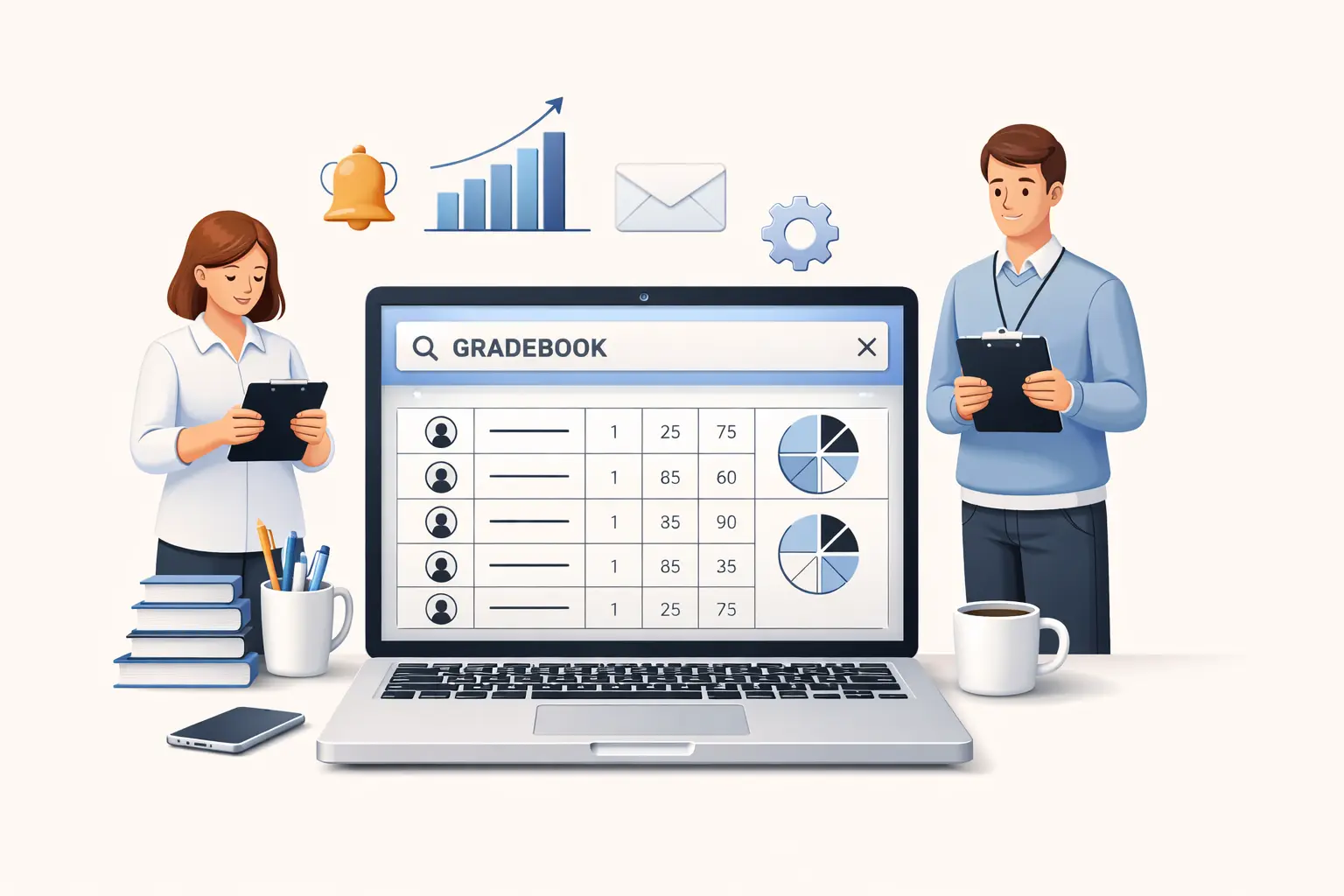
Choosing the right school gradebook software in 2026 is no longer a minor administrative decision. For many schools, it directly affects teacher workload, grading consistency, parent communication, student support, and the overall quality of classroom data.
A few years ago, many schools were still getting by with spreadsheets, isolated teacher tools, or legacy systems that technically worked but created daily friction. That is much harder to justify now. Teachers are already overloaded. Administrators need better visibility. Families expect clearer communication. And schools need systems that are easier to use, easier to manage, and better aligned with how classrooms actually function.
That is why more school leaders are asking a more practical question: not just “Which gradebook exists?” but “Which gradebook software is actually the right fit for our school?”
This guide is built to answer exactly that.
If you are comparing an online gradebook for schools, a digital gradebook system, or a broader school grading system, this article will help you evaluate options more strategically. Instead of focusing on marketing claims, we will focus on real selection criteria: usability, reporting, workflow, integration, privacy, adoption, and long-term fit.
Quick Answer: How to Choose the Right School Gradebook Software
If you want the short version, the right school gradebook software should do five things well:
- make daily grading fast and simple for teachers,
- support your school’s grading rules without awkward workarounds,
- provide clear progress visibility for staff and families,
- connect naturally with attendance, behavior, and reporting workflows,
- and be easy enough to adopt that people actually use it consistently.
That last point matters more than many schools realize.
A gradebook can have dozens of features, but if teachers find it slow, confusing, or disconnected from their real workflow, it will not create better records. It will just create more frustration.
The best K-12 gradebook is usually not the one with the longest feature list. It is the one that fits the daily reality of your teachers and gives school leaders enough structure, visibility, and consistency to support the whole school.
Why This Decision Matters More in 2026
Schools are under pressure from multiple directions at once.
Teachers are expected to keep accurate records, communicate student progress clearly, respond to missing work and attendance issues faster, and document more consistently than before. At the same time, many schools are trying to reduce administrative burden, not add more of it.
This is where gradebook software becomes much more than a simple digital replacement for a paper gradebook.
A modern gradebook app for teachers affects:
- how quickly teachers can enter and review grades,
- how easily schools can monitor student progress,
- how consistently staff handle grading categories and reporting,
- how smoothly families receive updates,
- how early struggling students can be identified,
- and how organized student records remain across the year.
In other words, your gradebook is not just a place where numbers live. It becomes part of your school’s operating system.
That is why poor-fit software has such a hidden cost. Even if it technically “works,” it may still create slower workflows, fragmented records, inconsistent reporting, weak staff adoption, and unnecessary parent confusion.
What Is School Gradebook Software?
School gradebook software is a digital system used by teachers and schools to record assignments, grades, averages, comments, and progress data for students.
At a basic level, it replaces manual or spreadsheet-based grading. At a more advanced level, it becomes part of a broader school grading system that may also include:
- attendance tracking,
- behavior notes,
- standards or skills tracking,
- report generation,
- parent updates,
- analytics,
- student intervention visibility,
- and school-wide oversight.
Some tools are designed mainly for individual teachers. Others are built for whole schools. Some are lightweight and easy to adopt. Others are bundled into large SIS platforms with many unrelated administrative modules.
That is why the phrase school gradebook software can mean different things depending on who is searching.
A classroom teacher may want speed, clarity, and simple reports.
A principal may want consistency, visibility, and clean records.
A school owner may want a system that reduces chaos across the entire staff.
The right choice depends on which of those problems you are trying to solve.
Who This Article Is For
This guide is especially useful if you are:
- evaluating a new online gradebook for schools,
- replacing spreadsheets or an outdated legacy tool,
- choosing software for a private school, small school, or growing K-12 team,
- trying to standardize teacher recordkeeping,
- or deciding whether you need a standalone gradebook or a broader system.
It is also useful if you are stuck between two bad options:
- a tool that is too basic for school-wide use, or
- a large system that feels too heavy for the actual classroom workflow.
Many schools in 2026 are trying to find the middle ground: a system that is structured enough for school use, but simple enough that teachers actually like it.
Why Schools Outgrow Spreadsheets and Basic Gradebooks
Many schools do not switch gradebook software because of one dramatic problem. They switch because the small problems keep piling up.
At first, spreadsheets seem flexible. A teacher can customize columns, formulas, colors, and comments exactly how they want. But once you think at the school level, the weaknesses become obvious.
Common spreadsheet problems
- every teacher uses a different format,
- formulas break,
- categories are inconsistent,
- records are hard to review,
- attendance sits somewhere else,
- behavior notes live in another file,
- parent updates require manual work,
- school leaders cannot see trends easily,
- and onboarding new staff becomes far more difficult than it should be.
The issue is not that spreadsheets are useless. The issue is that they are not a reliable long-term digital gradebook system for a school that wants consistency.
A school-grade solution should reduce variation where variation hurts, while still giving teachers enough flexibility to do their work efficiently.
The 10 Most Important Features to Look For
When schools compare gradebook tools, they often get distracted by secondary features before evaluating the core experience. Start with the fundamentals.
1. Fast, intuitive daily grade entry
This is the first thing that matters because it determines adoption.
Teachers enter grades constantly. If that process is slow, buried in menus, or visually confusing, the software creates friction every day. Even strong reporting cannot compensate for that.
A strong gradebook app for teachers should allow teachers to:
- create assignments quickly,
- enter grades in bulk,
- edit scores easily,
- see class averages clearly,
- and move through the workflow without extra clicks.
If a teacher needs extensive training just to understand the main grading screen, that is a warning sign.
2. Flexible grading categories and weighting
Every school has its own grading logic. Some use weighted categories. Some use points only. Some want custom terms, custom categories, late policies, or standards alignment.
A good school grading system should reflect your real grading structure without requiring workarounds.
Ask questions like:
- Can categories be weighted?
- Can reporting periods be customized?
- Can different subject areas use slightly different grading setups if needed?
- Can schools standardize the core framework without making teachers miserable?
Rigid systems often look “organized” in demos but become frustrating during real use.
3. Clear student progress visibility
A gradebook should help staff see the story behind the numbers.
That means more than just assignment lists and current averages. The best systems help answer real questions:
- Which students are suddenly slipping?
- Who has repeated missing work?
- Which class section is struggling most?
- Who may need parent contact or intervention?
- Which assignments are dragging performance down?
When schools can see patterns earlier, they can respond earlier.
This is one reason schools increasingly want gradebooks that are connected to broader classroom data, not isolated tools that only store scores.
4. Attendance in the same workflow
This is a major quality-of-life feature.
Teachers do not think in isolated software modules. In real life, they are managing a class, not just entering grades. If attendance is in one place and grades in another, you lose context.
A student’s performance often connects directly to attendance patterns. When the software reflects that reality, staff can identify problems faster and keep cleaner records with less duplicated work.
5. Behavior or classroom notes support
Not every school needs full behavior management inside the gradebook. But many schools benefit from at least some ability to connect academic performance with notes, concerns, or classroom observations.
This becomes especially useful in elementary, small-school, intervention-focused, or private-school environments where communication and context matter.
When grades, attendance, and behavior are completely disconnected, staff often end up reconstructing the full picture manually.
6. Parent-friendly reporting
A strong online gradebook for schools should make parent communication easier, not harder.
Look for tools that support:
- progress reports,
- conference-friendly summaries,
- clean exports,
- readable student views,
- and practical communication support.
Schools do not always need a massive parent portal. But they do need a system that helps teachers communicate student progress clearly without building every update from scratch.
7. School-wide visibility for leaders
A tool may work well for an individual teacher but still fail at the school level.
Administrators often need to answer questions like:
- Are grades being updated consistently?
- Are certain classes seeing unusual failure patterns?
- Are reporting practices aligned across teachers?
- Are there students who need attention across multiple data points?
If the system gives no usable oversight, leaders are left relying on manual check-ins and exported files.
8. Easy onboarding and low training burden
This is one of the most underappreciated factors in software selection.
Many tools look powerful in a demo because a vendor shows a polished workflow with prepared data. But what happens when your real teachers log in for the first time?
A strong K-12 gradebook should feel teachable, usable, and adoptable.
You should not need weeks of training just to get people comfortable with the basics.
9. Integration and data movement
Schools rarely use only one platform. That means your gradebook needs to fit into a broader ecosystem.
At minimum, ask:
- How are rosters imported?
- How are class changes handled?
- Can data be exported cleanly?
- Will staff have to duplicate work in other systems?
- Does the tool fit your current operational stack?
Even if your school is small now, this matters more over time.
10. Long-term fit, not just short-term price
A cheaper product is not always the better value.
If a low-cost gradebook creates extra admin work, poor reporting, or inconsistent adoption, the true cost becomes much higher. On the other hand, a premium system may still be the wrong fit if it is bloated and underused.
When evaluating value, think beyond subscription price:
- teacher time saved,
- training time required,
- parent communication effort,
- record quality,
- oversight,
- and whether other tools are still needed.
Standalone Gradebook vs Full SIS: Which One Do You Need?
This is one of the biggest strategic questions.
Some schools assume they need a full student information system when what they actually need is a better daily workflow tool for teachers. Others choose a simple teacher tool and later realize they needed stronger school-wide structure.
The difference matters.
A standalone gradebook may be best if:
- your main pain point is grading workflow,
- teachers are the primary users,
- you want quick implementation,
- your school needs something lightweight and practical,
- you mainly care about grades, attendance, behavior, and reporting.
A full SIS may be best if:
- you need admissions, billing, schedules, compliance, enrollment, and operational modules,
- multiple departments will use the platform deeply,
- you have the capacity for a larger implementation,
- and your school truly wants one broad administrative system.
Many small and mid-size schools overbuy here.
They adopt large systems with many functions that sound impressive but are rarely used well by classroom staff. The result is often poor teacher experience, clunky workflows, and lower satisfaction.
In contrast, a focused school gradebook software platform can be the better solution when the real goal is to improve classroom recordkeeping and visibility, not to run every administrative function in one place.
How to Choose School Gradebook Software Step by Step
A smart selection process usually matters more than the demo itself. Here is a framework you can actually use.
Step 1: Identify the main problem you are solving
Do not start with features. Start with pain points.
Examples:
- teachers are spending too much time updating grades,
- reporting is inconsistent,
- families do not get clear progress information,
- staff use disconnected tools,
- school leaders cannot see patterns early,
- records are too dependent on spreadsheets.
If you cannot define the problem clearly, every tool demo will look appealing.
Step 2: Decide who the primary user is
Is this tool being chosen mainly for:
- classroom teachers,
- department leads,
- school leaders,
- support staff,
- or parents?
Most gradebook disappointments happen when the software is optimized for someone other than the real day-to-day user.
Step 3: Map the actual weekly workflow
Write out what teachers and staff really do each week.
For example:
- create assignments,
- enter grades,
- review missing work,
- take attendance,
- note behavior issues,
- prepare for parent communication,
- generate reports,
- review students who need support.
Now compare software against that real workflow, not against a generic product checklist.
Step 4: Define your non-negotiables
Before watching demos, decide what your school must have.
Your list may include:
- weighted categories,
- school-wide consistency,
- attendance and grading together,
- parent reporting,
- easy exports,
- low training burden,
- analytics,
- behavior logging,
- visibility by student or class.
This prevents you from being swayed by flashy but irrelevant features.
Step 5: Test the software with realistic scenarios
Do not let the vendor control the whole evaluation.
Ask them to show real tasks such as:
- entering a week of grades,
- changing an assignment category,
- generating a student progress report,
- checking attendance and grades together,
- finding a student who is falling behind,
- preparing information for a parent conference.
Those tasks reveal much more than a polished overview ever will.
Step 6: Include both teachers and leadership in the evaluation
A system can feel great for teachers but weak for leadership. Or strong for administrators but frustrating for staff.
You need both perspectives.
At minimum, include:
- one classroom teacher,
- one school leader,
- one person involved in student support or communication,
- and ideally one person who thinks carefully about implementation.
Step 7: Run a real pilot
A pilot should not be symbolic. It should be practical.
Use real classes, real assignments, real attendance, and real reporting tasks. If the software works well in the pilot, that is meaningful. If it only works in a controlled demo environment, that tells you something too.
Common Mistakes Schools Make When Buying Gradebook Software
Mistake 1: Choosing based on feature quantity
More features do not equal better fit.
A smaller, cleaner system can outperform a feature-heavy tool if teachers actually use it consistently.
Mistake 2: Ignoring the teacher experience
This is probably the most expensive mistake.
If teachers do not like using the software, they will minimize use, delay updates, or build parallel systems. Once that happens, the school loses consistency.
Mistake 3: Separating grades from attendance and behavior
When these workflows are disconnected, staff lose the ability to see patterns easily and end up spending more time piecing information together manually.
Mistake 4: Underestimating reporting
A gradebook is not only for storing data. It should help the school communicate and act on that data.
Mistake 5: Focusing too much on price and not enough on fit
Software that saves little time and creates little clarity is expensive even if the subscription looks low.
Mistake 6: Skipping a real pilot
A demo is not enough. Schools should test actual usage before making a commitment.
What the Best Gradebook Software for K-12 Schools Usually Has in Common
When schools are happy with their gradebook, the platform usually shares a few traits.
It is:
- easy to understand,
- fast for repeated daily use,
- flexible enough for real school needs,
- connected to other classroom workflows,
- useful for both teachers and leaders,
- and simple enough to implement without months of strain.
That is what many schools are really searching for when they type best gradebook software for K-12 schools into Google. They are not only looking for software. They are looking for relief from messy systems, scattered records, and avoidable friction.
Where Lekktura Fits Into This Decision
If your school wants something more practical and teacher-friendly than a bloated legacy system, Lekktura is a natural option to consider.
Lekktura is positioned around the core workflows many schools actually need: grades, attendance, behavior tracking, classroom organization, visibility into student progress, and parent-facing support. That makes it especially relevant for schools that want more than a simple standalone gradebook, but do not want the complexity of a massive all-in-one administrative platform.
It may be a particularly good fit for:
- small schools,
- private schools,
- lean K-12 teams,
- schools replacing spreadsheets,
- schools that want teachers to adopt the system quickly,
- and teams that want grades, attendance, and classroom records to live together in one practical workflow.
If that sounds close to what your school needs, the most natural next step is here:
Final Checklist Before You Commit
Before choosing a school gradebook system, ask these questions:
- Is daily grade entry genuinely easy?
- Can the system handle our grading structure?
- Will teachers actually like using it?
- Can we connect grades with attendance and student context?
- Are reports useful and parent-friendly?
- Can school leaders get the visibility they need?
- Is setup realistic for our team?
- Does it reduce admin burden rather than shift it?
- Will this still fit us a year from now?
If the answer is no to several of those, keep evaluating.
Conclusion
The right school gradebook software in 2026 should not just digitize grading. It should support better teaching workflows, cleaner records, better visibility, and more consistent communication.
Schools do not need more clutter. They need tools that make grading simpler, student progress easier to understand, and school operations more organized.
That is why the smartest way to choose an online gradebook for schools is to focus on workflow, adoption, reporting, and fit, not just marketing features. A good system helps teachers work faster and more clearly. A great one helps the whole school function better.
If your team is comparing options now, use this framework to evaluate them honestly. And if you want a simpler, more modern approach to grades, attendance, behavior, and classroom records, take a closer look at Lekktura for Schools:


