
Gradelink Alternative for Small K-12 Schools
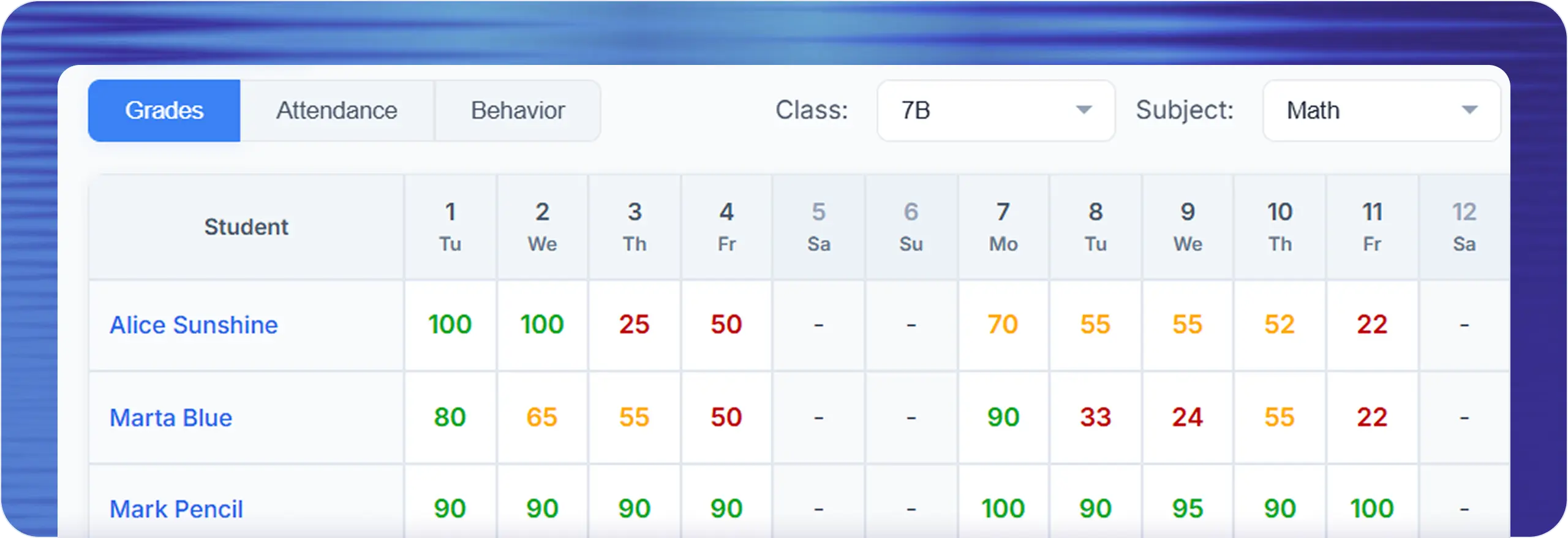
Gradelink is a well-known Student Information System for private and Christian schools with optional admissions (EnrollMe) and tuition payments. Lekktura is a lighter, modern daily school platform — gradebook, attendance, behavior, report cards, no-login parent messaging, and school analytics — built for small schools that want lower monthly costs, $0 setup fees, and a cleaner teacher workflow.
- Plans from $49/mo ($0 setup fee)
- No-login parent reports & two-way chat
- Self-serve 30-day free pilot
No credit card required · Set up in days, not months
What Is Better in Lekktura vs What Is Better in Gradelink
Gradelink and Lekktura serve many of the same small private and faith-based schools, but they make different tradeoffs. Gradelink leans toward a full private-school SIS with paid add-ons for admissions and mass SMS. Lekktura focuses on faster daily classroom operations, simpler parent communication, and lower flat school pricing.
Where Lekktura Is Better
Simplicity & priceBest for small schools that want a modern daily workflow for teachers and parents without setup fees or per-module add-ons.
- Lower cost for small & micro schools: Starts at $49/mo ($456/yr annual) for up to 40 students and $99/mo ($996/yr) for up to 100 students — with $0 setup fee.
- No-login parent portal & two-way chat: Parents view grades, attendance, and behavior and reply to teachers from one private link — no app download or password resets.
- Modern, fast teacher interface: Built for quick daily entry between classes rather than legacy multi-screen SIS menus.
- Instant self-serve 30-day pilot: Create your workspace, CSV-import students, and test with real classes today without a sales quote or onboarding fee.
- All core features on every tier: Report cards, parent messaging, school analytics, co-teaching, and custom grade scales are included without paid add-on modules.
Where Gradelink Is Better
Private-school SISBest for schools that want admissions forms, tuition payment processing, and official transcripts inside one SIS.
- Online enrollment & admissions (EnrollMe): Built-in add-on for digital applications, re-enrollment workflows, and document collection.
- Integrated tuition & fee payments: Gradelink Payments lets families pay tuition, registration fees, and donations by card or ACH.
- Official transcripts & medical records: Stores demographic, immunization, and cumulative transcript records for high schools.
- Mass SMS & voice alerts (SmartSend Pro): Optional school-wide text and voice alert broadcasting tied to student contacts.
- Unlimited phone support & training: Includes phone support alongside email and a large video training library.
Feature-by-Feature Comparison: Lekktura vs Gradelink
Here is how the two platforms compare across the workflows small private and Christian schools evaluate most often:
| Feature / Workflow | Lekktura for Schools | Gradelink SIS |
|---|---|---|
| Digital gradebook | Included — fast class gradebook, custom school letter scales, co-teaching | Included — customizable grading scales, standards-based grading, homework tracking |
| Attendance & behavior | Included — per-lesson attendance and shared positive/negative behavior log | Included — daily or period attendance and behavior tracking |
| Report cards & progress reports | Included — quarters, semesters, trimesters; teacher overrides; batch print & email | Included — customizable report cards plus official high school transcripts |
| Parent access & messaging | Private link per student — view reports + two-way chat with zero login or app | Web portal & mobile app (account login required); mass SMS via SmartSend Pro add-on |
| Online enrollment & admissions | Not included — CSV import for rosters | Available via EnrollMe add-on (~$20.83/mo + $297–$897 setup) |
| Tuition & fee billing | Not included | Available via Gradelink Payments ($0/mo base + merchant fees) |
| Setup & onboarding fee | $0 — self-serve setup in days | One-time setup fee (typically starting around $275+) |
| Free trial / pilot | 30-day self-serve free pilot, no credit card | Sales demo / custom quote |
Pricing Comparison: Lekktura vs Gradelink Monthly Tiers
Gradelink prices monthly by student enrollment brackets plus a one-time database setup fee (typically starting around $275+) and optional add-ons like EnrollMe (~$20.83/mo + setup) and SmartSend Pro (~$16.67/mo). Lekktura uses flat school tiers with $0 setup and annual discounts:
| School Size | Lekktura (Published) | Gradelink SIS (Reported Tiers*) |
|---|---|---|
| Up to 40 students (Microschool) | $49/mo ($456/yr annual) · $0 setup | ~$121/mo (~$1,452/yr) + ~$275+ setup |
| Up to 100 students (Small School) | $99/mo ($996/yr annual) · $0 setup | ~$164/mo (~$1,968/yr) + ~$275+ setup |
| Up to 150–300 students | $229/mo ($2,292/yr annual) · $0 setup | ~$210–$300+/mo (~$2,520–$3,600+/yr) + setup & optional add-ons |
| 500–1,000 students | $379/mo ($3,792/yr annual) · $0 setup | ~$400+/mo (~$4,800+/yr) + setup & optional add-ons |
* Gradelink pricing varies by exact student count, promotions, and add-on modules (EnrollMe, SmartSend Pro). Figures reflect publicly reported Gradelink tier pricing and setup fees; request a Gradelink quote for exact totals.
Which Platform Fits Your School? Three Clear Scenarios
Deciding between Gradelink and Lekktura usually comes down to whether you need admissions/tuition inside your SIS or want the fastest, most affordable daily academic system:
Choose Gradelink
You want online admissions forms (EnrollMe), integrated tuition payments, official high school transcripts, and phone support inside one traditional private-school SIS.
Choose Lekktura
You run a small private, Christian, Montessori, or microschool and already handle tuition separately (e.g. Stripe, QuickBooks, bank transfer). You want a modern gradebook, attendance, report cards, and no-login parent chat at up to half the annual cost.
Start With a 30-Day Pilot
Not sure whether your teachers will prefer Lekktura over Gradelink? Upload one class via CSV, run both side by side for two weeks during the free pilot, and let your teachers vote.
Questions to Ask Before Switching From Gradelink
Before renewing Gradelink or moving to a simpler workflow, check these six points with your staff:
-
1
Are we actually using Gradelink EnrollMe and Payments, or only the gradebook and attendance?
-
2
How much are we paying per year once base tiers, setup fees, and add-on modules are combined?
-
3
Do teachers find the daily grading and attendance workflow fast, or do they fall back to spreadsheets?
-
4
Do parents consistently log into the Gradelink portal, or do they still email teachers for updates?
-
5
Do we need official high school transcripts inside our daily gradebook tool?
-
6
Can we test Lekktura with one real class during a 30-day free pilot before deciding?
Frequently Asked Questions
Short answers to what schools ask most.
Is Lekktura cheaper than Gradelink for small schools?
Yes, especially for schools under 100 students. Lekktura starts at $49/month ($456/year annual) for up to 40 students and $99/month ($996/year) for up to 100 students with $0 setup fee, compared to Gradelink tiers typically starting around $121–$164/month plus a one-time setup fee.
Does Lekktura include online enrollment or tuition billing like Gradelink?
No. Lekktura intentionally focuses on daily academic operations — gradebook, attendance, behavior, report cards, parent messaging, and school analytics. Many small schools pair Lekktura with separate accounting or payment tools they already use.
Does Lekktura generate report cards like Gradelink?
Yes. Schools can configure quarters, semesters, or trimesters, define custom letter-grade scales, generate progress reports and end-of-term report cards, and batch print or email them to parents in one click.
How is parent access different in Lekktura vs Gradelink?
Gradelink requires parents to create and remember a portal or mobile app login. In Lekktura, each family gets a private link where they can view grades, attendance, behavior, and message teachers directly with zero account creation or password resets.
How easy is it to move student lists from Gradelink to Lekktura?
Export your student roster from Gradelink as a CSV file and upload it directly into your classes in Lekktura. Most small schools finish setting up classes, students, and teacher invites in a single afternoon.
Keep exploring Lekktura
Helpful next steps for school leaders and administrators.
Compare Lekktura school plans and pricing
Flat per-school tiers from Micro ($49/mo) to Premium ($379/mo).
Read moreStudent Information System (SIS) explained
See what a full SIS covers versus daily school operations.
Read moreHow to Choose a School Management System for K-12
A practical checklist for principals evaluating school software.
Read moreAsk us if Lekktura fits your school
Tell us what you use in Gradelink and we will give an honest answer.
Read moreMore for schools
Other parts of the platform your school will use every day.
Other comparisons
By type of school
By capability
FOR SCHOOL TEAMS
Run Your School's Daily Academic Workflow in One Place
Create your school, invite teachers by email, and start recording real grades and attendance during the pilot. No installation, no IT project.