
School Attendance Management Software
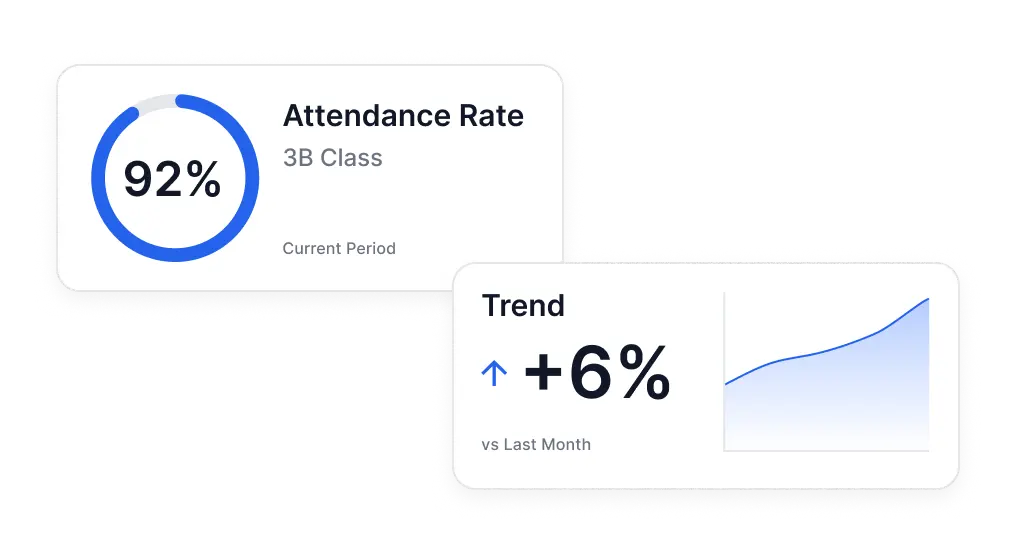
Attendance data is only actionable while it is fresh. Lekktura lets teachers mark attendance in seconds during the lesson, and gives principals a same-day view across every class — instead of a picture that arrives weeks later, after the pattern has already become a problem.
- Marked per lesson, not per day
- Five attendance statuses
- Visible school-wide instantly
No credit card required · Set up in days, not months
The delay problem
In many schools attendance is recorded on paper or in a per-teacher file and consolidated at the end of a period. By the time a pattern is visible to anyone who can act on it, the student has already missed a month.
The fix is not more reporting. It is removing the gap between the moment attendance is taken and the moment it becomes visible to the office.
Recorded where the lesson happens
Attendance is tied to a subject and a date, so a student who attends first period and disappears after lunch shows up accurately rather than as a single daily flag.
Five statuses: present, late, left early, absent excused, absent unexcused
An optional reason and comment on any record
Bulk marking for a whole class when most students are present
The same screen as grades and behavior — one pass, not three systems
Corrections can be made later without rebuilding the record
Per-lesson beats per-day
Daily attendance answers one question: was the student in the building. Per-lesson attendance answers the more useful one: which lessons is this student avoiding, and since when.
A student missing whole days is usually a family or health conversation. A student present all morning who is absent from the same subject every week is a different conversation entirely, often with a different member of staff. Recording at the lesson level is what makes the two distinguishable.
What the office sees
Administrators see attendance across the school without asking anyone for a report. Because the record is per lesson, the school view distinguishes whole-day absence from subject-specific absence, and shows where recording has stopped happening at all.
Attendance parents can actually see
Attendance appears in the progress report a family opens through a private link, alongside grades and behavior for the recent period. Parents do not create an account or install an app.
Most difficult attendance conversations get easier when the family has been seeing the same numbers all along, rather than hearing them for the first time when a threshold has already been crossed.
Which schools this fits
Attendance tracking software has to match how a school actually times its day. A school with fixed homerooms and a school with rotating subject periods need different things from a student attendance system.
Because records here are per lesson rather than per day, both patterns work without configuration.
Private schools and independent schools replacing paper attendance sheets
Charter schools needing consistent absence management across staff
Middle and high schools with multiple periods per student per day
Small districts that want same-day visibility without a reporting team
Academies and tutoring centres tracking session attendance
Schools with state or authority attendance reporting obligations
What to check when comparing attendance tools
Attendance features look similar in a demo. These are the differences that show up once a whole staff is using it daily:
-
1
Whether attendance is per lesson or only once per day
-
2
How long it takes to mark a full class on a phone between lessons
-
3
Whether excused and unexcused absence are separate statuses
-
4
How quickly the office sees what a teacher just recorded
-
5
Whether parents see attendance without needing an account
-
6
Whether a mistake can be corrected without an administrator
Questions before you start
Short answers to what schools ask most.
How do teachers record attendance?
A teacher opens the class for the lesson and marks each student as present, late, left early, or absent, with an optional reason. Whole-class bulk marking covers the common case where nearly everyone is present, so a typical class takes seconds rather than minutes.
Can we track attendance per subject rather than per day?
Yes. Every attendance record is tied to a specific subject and date, so a student who attends some lessons and misses others is recorded accurately. This distinguishes whole-day absence from subject-specific avoidance, which usually needs a different response.
What attendance statuses are available?
Five: present, late, left early, absent excused, and absent unexcused. Each record can also carry a reason and a comment. Keeping excused and unexcused separate matters because they lead to different follow-up and different reporting obligations.
Do parents see attendance?
Yes, as part of the progress report sent through a private link, covering the recent period alongside grades and behavior. Parents do not create an account or install anything — they open the link and see their own child only.
Can attendance be corrected after the lesson?
Yes. A teacher can update a record later — for example when a student arrives with a note, or an absence turns out to be excused. The record reflects the corrected status rather than requiring a separate amendment process.
Can it work on a phone in the classroom?
Yes. Attendance is designed to be marked during the lesson on whatever device the teacher has to hand, including a phone. This matters more than it sounds: attendance taken later from memory is the main source of inaccurate data.
Can it replace paper attendance sheets?
Yes. That is the usual reason schools adopt it. Attendance is marked on a device during the lesson and is visible to the office immediately, which removes both the paper and the delay between the register being taken and anyone being able to act on it.
Does it work for schools with rotating class periods?
Yes. Because attendance is recorded per subject and date rather than once per day, schools with rotating periods and schools with fixed homerooms both work without special configuration.
More for schools
Other parts of the platform your school will use every day.
Run Your School's Daily Academic Workflow in One Place
Create your school, invite teachers by email, and start recording real grades and attendance during the pilot. No installation, no IT project.
30-day free pilot · No credit card required