
Status-based behavior logging
- Standard statuses for fast classroom entry.
- Custom "Other" comments with positive or negative labels.
- Subject-aware behavior history per student.
Lekktura is an online behavior tracker for teachers who need fast student behavior monitoring during real classes. Use it as a classroom discipline tracker to log behavior by date and subject, document positive and negative behavior notes, review behavior trends, and prepare parent-ready behavior reports.
2,300+ teachers on Lekktura Fast status logging 100% web-based Free plan available
This quick walkthrough shows how to log behavior statuses, add notes, and review behavior trends inside one classroom workflow.
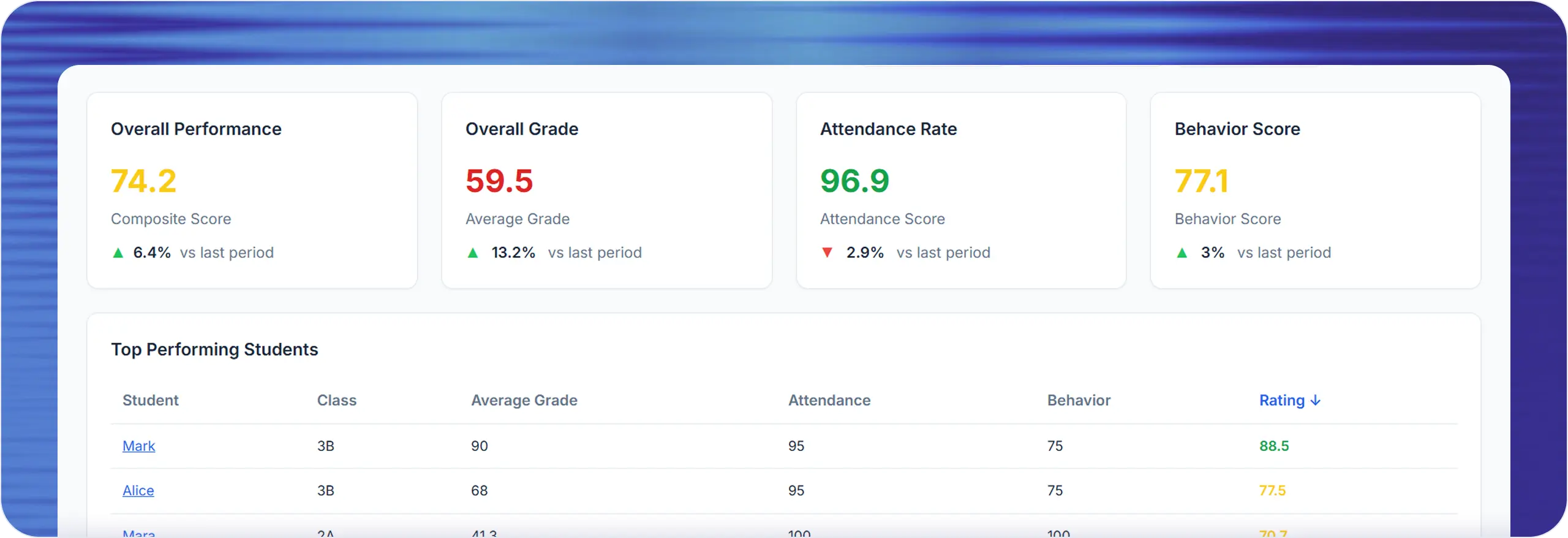
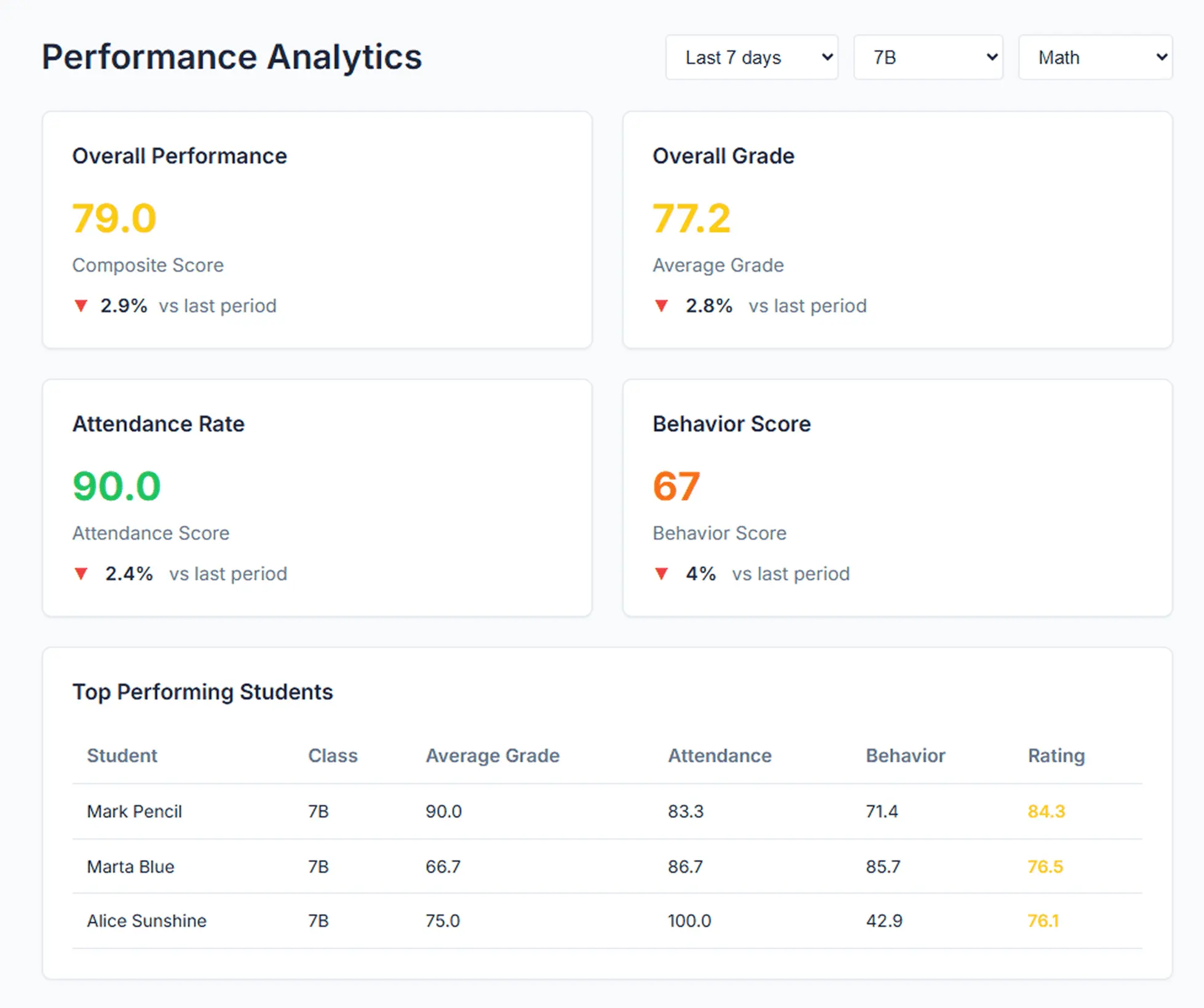
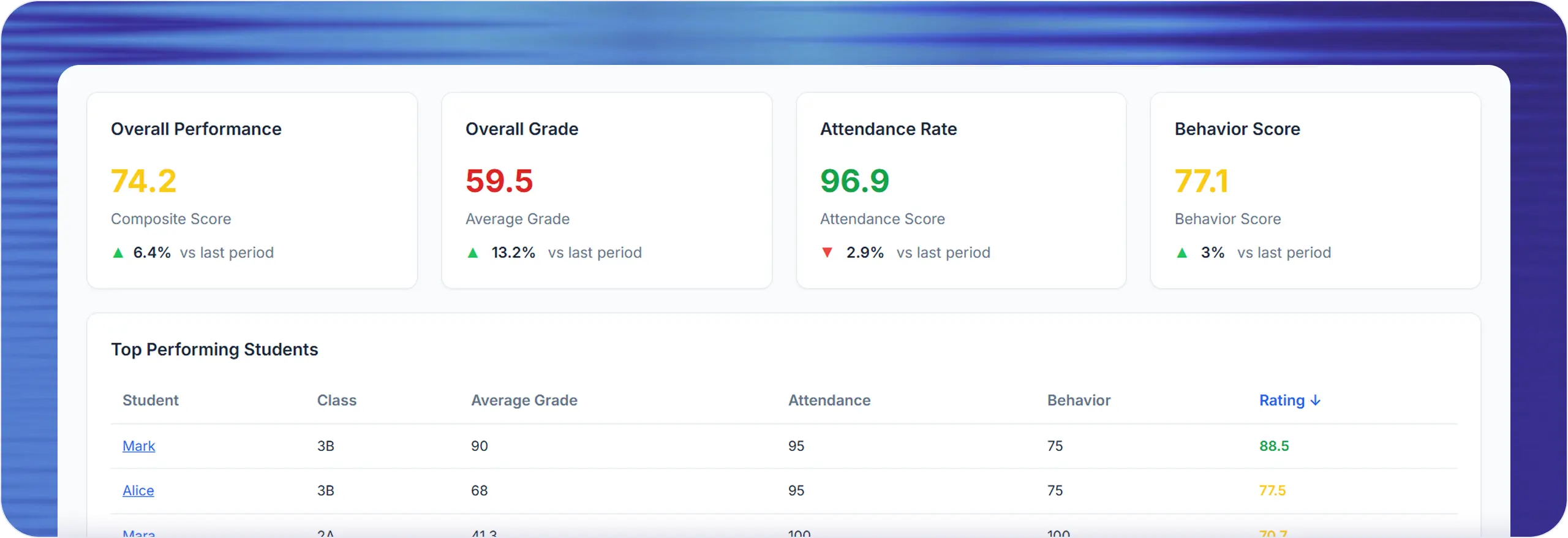
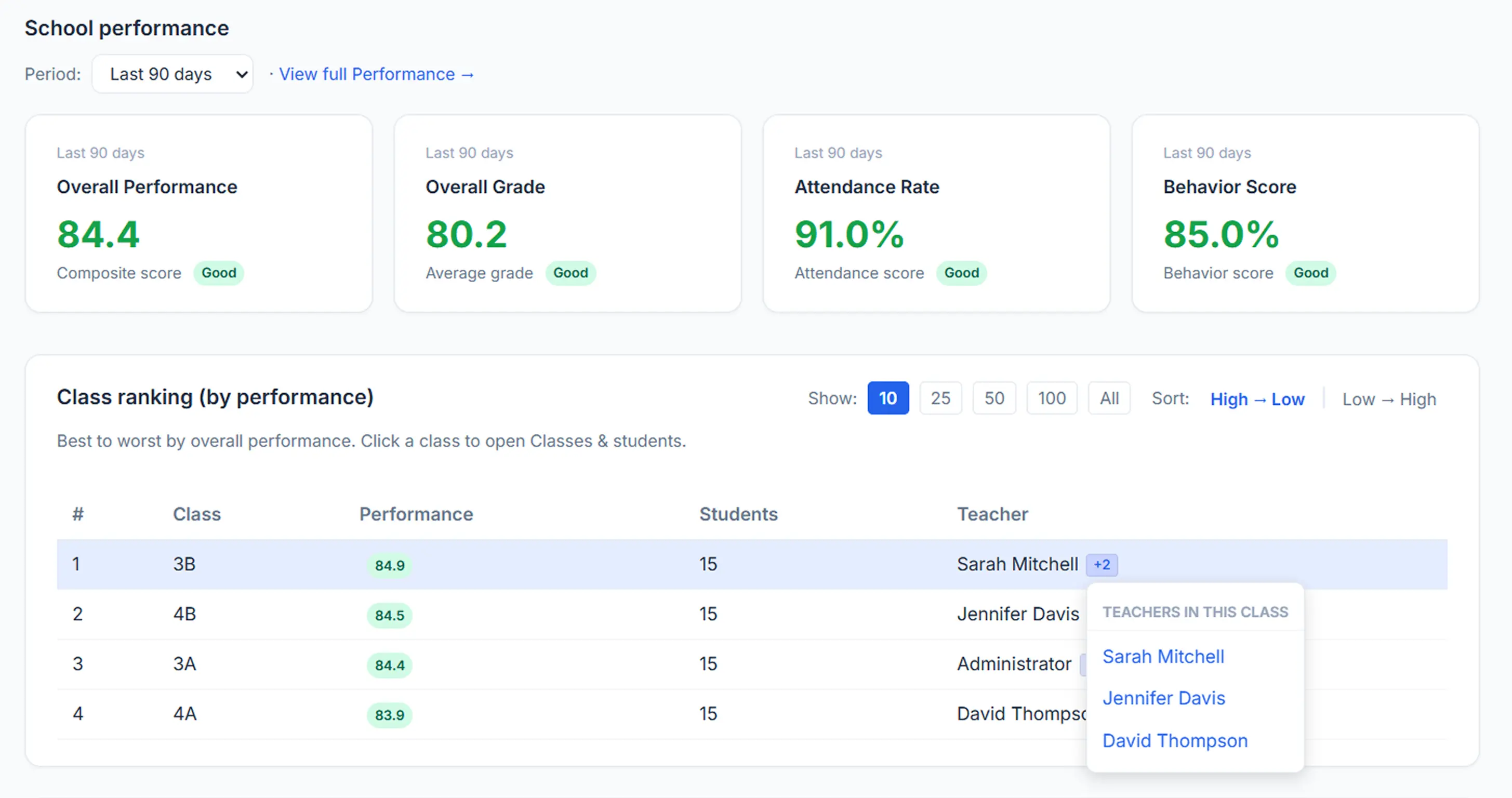
In one dashboard, teachers can record behavior events, compare student patterns, and prepare support conversations. The interface is built for day-to-day classroom pace and weekly decision quality, so behavior tracking stays useful instead of becoming another administrative burden.
If you are comparing tools, this checklist shows what you can actually do with the current feature set. It is designed for schools looking for a student behavior tracker app, a classroom discipline tracker, or behavior management software that supports day-to-day execution, not just reporting.
A concise definition — then how it connects inside Lekktura.
A teacher behavior tracker is a structured way to document student conduct during lessons, then use those records for classroom decisions, interventions, and parent communication. Instead of relying on memory, sticky notes, or disconnected spreadsheets, a digital student behavior tracking workflow gives you a dated record for each student, subject, and class period. That means less guesswork and more consistent follow-through.
Why teachers switch from paper behavior logs and spreadsheets to dedicated tracking software: structured logs, faster follow-up, and parent-ready evidence—without rebuilding spreadsheets every week.
Teachers need a behavior tracker that works while instruction is happening. If recording one event takes too many clicks, behavior data quality drops quickly. A practical classroom behavior app must support quick entry for common statuses and still allow custom notes when needed.
The goal is not only logging incidents. The goal is seeing patterns early. When behavior records are centralized, teachers can detect repeated disruption windows, identify positive streaks, and intervene with more confidence before academic performance is affected.
Parent meetings are more productive when behavior discussions include objective timelines instead of vague impressions. A behavior report for parents should show date, class context, and status trends in a way that supports constructive action planning.
In schools, teachers, coordinators, and administrators may all review student progress. A behavior tracking tool should keep role boundaries clear while still giving authorized staff consistent data. That lowers communication friction and improves support continuity.
Lekktura behavior tracking follows a simple operating loop: capture, review, and act. This keeps the workflow lightweight for daily teaching but strong enough for deeper student support conversations.
Step 1
In the journal, choose a behavior status for a student and subject on a specific date. You can use standard statuses for speed or open the "Other" option to write a custom behavior comment and mark it as positive or negative.
Step 2
Behavior records roll into student profile summaries and behavior score calculations. This gives a clear signal of positive behavior share across the selected period, instead of isolated events with no longitudinal context.
Step 3
Behavior signals feed recommendation surfaces, including risk and trend insights. Teams can use these insights during intervention planning, parent check-ins, and weekly classroom review cycles without rebuilding data manually.
Structured logging takes seconds per event—capture behavior during live instruction, not after class.
Free plan · No credit card required
A strong behavior tracker for teachers needs both consistency and flexibility. Lekktura includes standard statuses for quick entry and custom "Other" notes for context-specific events.
Example values
Typical classroom use
Reinforce productive routines and identify positive behavior streaks.
Example values
Typical classroom use
Document incidents in a consistent format for later review.
Example values
Typical classroom use
Add context that does not fit fixed labels, while keeping directional meaning.
Example values
Typical classroom use
Read behavior history fast in dense journal views.
This setup keeps daily logging fast while still preserving context when behavior events do not fit rigid labels.
One of the biggest differences between a simple behavior chart and a full behavior tracking system is data reuse. Lekktura behavior records are not trapped in one screen. They are reused across teaching, reporting, and parent communication surfaces.
Main entry point for daily behavior logging. Teachers can update single cells or run batch updates during a planning block. Useful for high-frequency classroom behavior tracking.
Streamlined data entry for date plus subject workflows. Helpful when teachers need to add behavior statuses for many students quickly without opening multiple dialogs.
Consolidated student timeline with behavior score context. Useful for intervention meetings, progress checks, and preparing objective talking points before family communication.
Parent-facing behavior history can be displayed with status formatting in supported portal flows. This helps convert teacher records into transparent communication artifacts.
Behavior data contributes to performance scoring and trend signals. Declines or incident clusters can be surfaced earlier, which supports proactive classroom management.
Behavior rules such as repeated incidents, week-over-week increases, and positive streaks can trigger action hints. Teachers can open behavior context directly from insight cards.
A simple percentage based on what you log—built for trends and conversations, not labels.
Behavior score is the share of positive behavior events in the selected time range.
positive events ÷ total behavior events
Then express that ratio as a percentage.
This is a fast, directional signal for student support discussions. It is not a diagnosis—always interpret it with classroom context.
Trend-based and easy to scan—helpful when you need objective timelines instead of vague impressions.
Standard statuses are grouped into positive and concern-side events. Both shape the total, which is why the score reflects balance over time.
Custom notes entered through Other can be interpreted using positive or negative suffix labels—useful when you need nuanced documentation beyond the standard list.
Practical ways teams use behavior tracking across grade levels—from daily routines to multi-teacher follow-up.
Teachers can mark behavior as class happens, then scan short codes at the end of day. This works well for quick reflection cycles and supports consistent classroom expectations.
A student may show different behavior patterns across subjects. Logging by subject makes it easier to identify environment-specific triggers and adjust support with the right teacher team.
Instead of broad statements, teachers can show dated behavior events and trend context. This creates clearer action plans and reduces defensiveness in difficult conversations.
Teams can review whether incidents are clustering, whether behavior is stabilizing, and whether supports are working. This is useful for response-to-intervention and PBIS-aligned workflows.
If your school also tracks attendance and academics in one dashboard, pair this page with Attendance Tracker and Analytics Dashboard so behavior trends are reviewed in full context.
Teachers capture events, leaders align support, and families see the right level of context—without mixing roles or over-sharing.
Daily behavior logging, quick status entry, custom notes, and student behavior monitoring without interrupting instruction flow.
Authorized visibility into consistent behavior records for support planning, multi-teacher alignment, and earlier intervention decisions.
Parent-facing behavior history in supported portal flows, helping conversations move from impressions to specific, dated examples.
This role-based design helps schools treat behavior tracking as a coordinated workflow, not an isolated teacher task. It also strengthens consistency for teams that need a classroom discipline tracker plus a reliable communication layer.
Structured logs do not replace your formal processes—they give teams evidence over time instead of isolated anecdotes.
Consistent status logging helps you see whether reinforcement patterns are working—so positive behavior supports stay visible, not accidental.
Trend views help teams decide whether a student needs closer monitoring or a stronger support tier—using dated events instead of impressions.
Custom notes preserve nuance around regulation, peer interaction, and participation—so SEL conversations stay grounded in real classroom moments.
This page does not replace formal framework processes. It provides the behavior data layer those processes depend on.
The right people see the right records—aligned to class ownership, school roles, and dedicated parent flows.
Behavior access is tied to class ownership and authorized school roles. Teachers work in their journal flow, and staff with proper permissions can review shared class data where applicable—supporting trust, compliance, and internal consistency.
Parent-facing behavior views run through dedicated portal flows so schools can share meaningful updates without exposing unrelated classroom data. For many teams, this separation matters as much as the tracker itself.
If you are comparing behavior tracking tools for schools, this matrix highlights core workflow differences at a glance.
| Category | Lekktura | ClassDojo | PBIS Rewards | LiveSchool |
|---|---|---|---|---|
| Daily classroom behavior logging | Status-first workflow with custom notes by date and subject | Strong points-based behavior flow | Referral and PBIS program-focused logging | Points and classroom behavior tracking |
| Trend visibility for support meetings | Behavior score trends plus profile history | Depends on selected reports and setup | PBIS-focused reporting and dashboards | Behavior trend reporting with school configuration |
| Parent communication workflow | Parent portal behavior visibility in supported flows | Family communication tools | Family updates vary by school setup | Family communication options by plan/setup |
| Connected attendance and grades context | Behavior can be reviewed with attendance and grade signals | Usually separate tools | Usually separate SIS/LMS integration paths | Usually separate academic tracking tools |
| Free plan availability | Yes | Yes (feature scope varies) | School purchasing model | School purchasing model |
Comparison is based on publicly visible product positioning and commonly used workflows. Verify current plan details directly with each vendor.
| Method | Speed During Class | Trend Visibility | Parent Conference Readiness | Role-Aware Access |
|---|---|---|---|---|
| Paper notes | Fast to jot down, hard to standardize | Low, manual review required | Low, records are fragmented | Manual and inconsistent |
| Spreadsheet behavior log | Moderate, but formatting overhead grows | Medium, depends on setup quality | Medium, requires cleanup each time | Basic sharing only |
| Lekktura Behavior Tracker | High, status-first workflow | High, timeline and score driven | High, records are already structured | Built into product roles |
You have the comparison context—start on the free plan and log your first week in minutes.
Upgrade paths available when your school is ready
Follow these steps once—after that, logging stays fast during real class time.
Confirm subjects are set so you can track behavior by subject when it matters.
Log standard statuses quickly for the current date row while class is moving.
When context matters, capture it—and mark notes as positive or negative for clarity.
Open the student profile to see weekly direction and spot who needs support next.
Use parent-facing history and trend summaries before conferences or check-ins.
For a fuller student support loop, combine this feature with Parent Portal and AI Assistant.
Short definitions for language you will see across this feature and in parent conversations.
A structured system for logging student conduct by date, subject, and status.
A focused view of concern-side events used to identify repeated disruptions and triggers.
A percentage trend signal based on the share of positive events over a selected period.
A summary teachers can use in conferences to discuss patterns and next steps with specific examples.
Feedback from teachers using Lekktura in day-to-day classroom routines.
"
I can log behavior during class and walk into parent meetings with examples by date. It saves time and keeps conversations objective.
Hazel B., Elementary Teacher
"
The classroom discipline tracker is fast enough for real lesson pace, and trend views help us act before small issues escalate.
Lucas R., Middle School Teacher
"
We replaced scattered notes with one behavior timeline, so team follow-up and behavior support plan conversations are far more consistent.
Maya T., School Leader
Straight answers on speed, logging, scores, access, and how behavior fits next to attendance and grades.
Use standard behavior statuses for fast entry, then reserve custom notes for exceptions. In Lekktura, this is designed for in-class speed so you can document events in seconds and keep teaching momentum.
Yes. You can log positive actions and concern events in one timeline. This gives a more balanced student profile than incident-only logs and supports growth-focused conversations.
Yes. The status-based workflow is flexible enough for K-12 usage. Teams can adapt routines for age level while keeping the underlying log format consistent.
Yes. The “Other” option allows custom notes and supports positive or negative direction labels, which helps preserve context while keeping the timeline structured.
Behavior score is based on the share of positive behavior events within a selected period. It is intended as a trend signal to support decisions, not as a standalone judgment.
Yes. Dated behavior logs and trend context help teachers enter conferences with specific examples, clearer timelines, and practical next steps.
Yes. Behavior records feed trend and signal surfaces, including pattern alerts like repeated incidents or week-over-week increases, which can guide early intervention.
Yes. The dated behavior timeline helps teams review patterns, triggers, and progress checkpoints before or during behavior support plan conversations. It supports better decisions, while formal plan design remains a school process.
Access follows class and role boundaries. Authorized school roles and relevant teachers can review data where policy allows, while parent-facing access follows dedicated portal flows.
Yes. Behavior data can be reviewed alongside attendance and academic metrics in connected workflows, which improves context for intervention planning and progress monitoring.
Yes. Lekktura offers a free entry path, and the feature runs as an online behavior tracker in your browser. Schools can scale to longer retention windows and broader workflows as needed.
Yes. Teachers can document discipline-related incidents, positive behavior actions, and custom notes in one timeline, then monitor patterns across periods, subjects, and support meetings.
Retention depends on plan and setup. For personal-class contexts, typical windows are 30 days on Free, 180 days on Starter, and 365 days on Pro. Schools with their own policies can align review cadence and exports to those windows.
If you need a teacher behavior tracker that supports classroom speed, stronger parent communication, and better intervention timing, start with Lekktura.