
Student Records Management for K-12 Schools
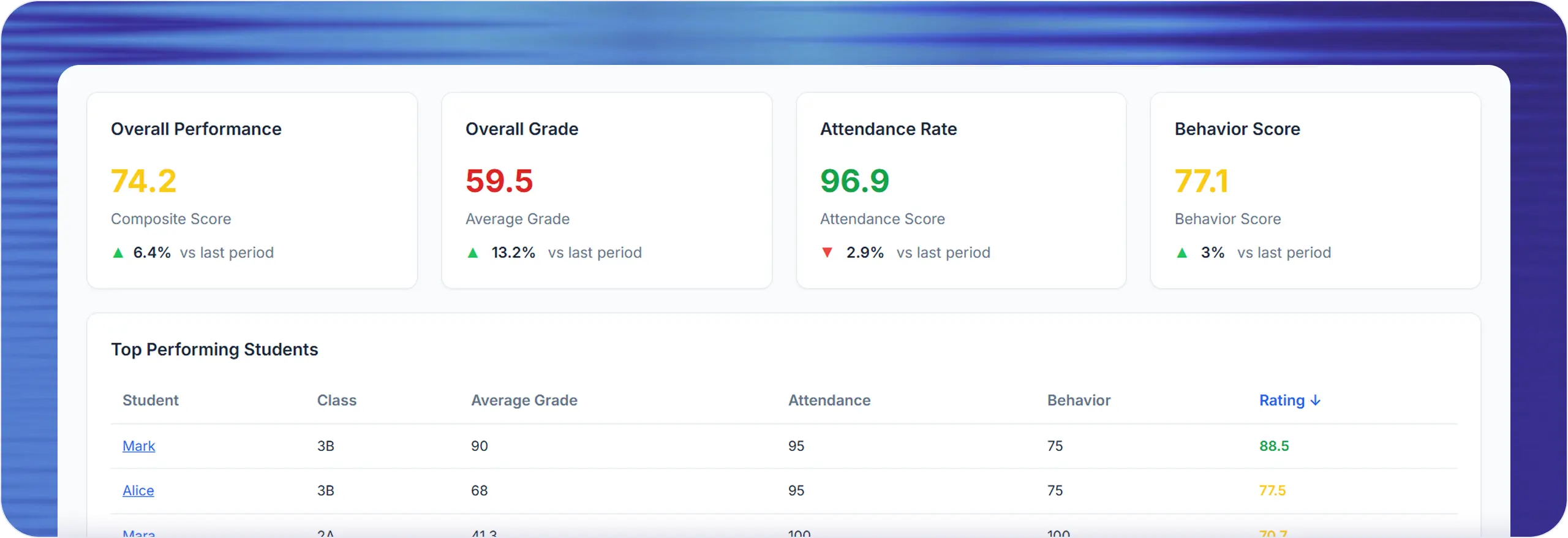
A student record is only useful if it survives the class change, the teacher change, and the end of the year. Lekktura keeps enrollment, grades, attendance, and behavior in one continuous record per student, so history does not fragment every time something moves.
- Bulk import from a spreadsheet
- One record per student
- Archive, never delete
No credit card required · Set up in days, not months
Getting your students in
Schools already have their student list somewhere — usually a spreadsheet. Students can be imported in bulk from a CSV file rather than typed in one at a time, which is normally the single largest piece of setup work and the exact point where rollouts stall before they ever reach daily use.
Bulk import students into a class from a CSV file
Add students individually when new families enroll mid-year
Assign students to classes, and subject teachers to those classes
Edit a student’s details without touching their recorded history
Structure that matches how schools work
Classes, subjects, and students are organised so the shape of the school is explicit: a class contains students, subjects are taught within a class, and each subject has a teacher. Grades, attendance, and behavior attach to that structure.
That is what keeps a student’s history coherent. Because every record points at a student, a subject, and a date, the full picture for one child can be assembled no matter how many teachers contributed to it.
Archiving, not deleting
When a class ends or a student leaves, the record is archived rather than removed. Data stays recoverable, which matters because the moment a school most needs an old record is usually long after somebody decided it was no longer needed.
Archiving also makes ordinary tidying safe. Staff can clear finished classes out of the working view without anyone worrying that a year of evidence just disappeared.
Records that stay correct over time
Student details change: names, classes, contact emails for a parent. Those can be updated without disturbing the grades, attendance, and behavior already recorded against that student.
The same applies to staffing. Reassigning a subject to a different teacher does not orphan the records the previous teacher entered — they remain part of the class history.
Which schools this fits
Student records management is the layer everything else sits on. Schools setting up for the first time and schools escaping a spreadsheet have the same first problem: getting an accurate student database in without retyping it.
This is built for schools that need enrollment management working in days, not a term.
New and growing schools setting up their first student database
Private schools and independent schools moving off spreadsheets
Charter schools consolidating records held by individual teachers
Small districts without dedicated administrative software
Schools keeping a district SIS but needing usable daily records
Academies and tutoring centres enrolling students each term
What to check when comparing student record systems
This is the least exciting part of school software and the part that causes the most damage when it is wrong. Worth checking:
-
1
Whether an existing student list can be imported in bulk on day one
-
2
How long setup takes before real data can be entered
-
3
Whether deleting a class or student is recoverable
-
4
Whether a student’s history survives moving between classes
-
5
Whether records survive a teacher leaving mid-year
-
6
Who can edit student details, and who can only view them
Questions before you start
Short answers to what schools ask most.
Can we import our existing student list?
Yes. Students can be imported in bulk from a CSV file into their class, rather than entered one at a time. This is normally the largest part of setup, and it is the step where school software rollouts most often stall before they reach daily use.
What happens to records when a student leaves?
The student is archived rather than deleted, so their grades, attendance, and behavior history remain recoverable. Schools frequently need an old record long after a student has left, and permanent deletion at the point of departure removes that option.
How are students organised?
Students belong to classes, subjects are taught within a class, and each subject has an assigned teacher. Grades, attendance, and behavior attach to that structure, which keeps a single continuous record per student across every subject.
Can we add students during the year?
Yes. New students can be added individually at any point without re-importing anything, and existing students’ details can be edited as they change. Records already entered against a student are unaffected by later edits to their details.
Is deleting a class reversible?
Archiving is the normal path and is reversible — the class leaves the working view but its data remains. Permanent deletion is a separate, deliberate action restricted to school leadership, precisely because it is the one step that cannot be undone.
Who can add and edit students?
Principals and school administrators can manage any class in the school. Teachers can add and edit students in the classes they own or teach. Only principals and administrators can permanently delete a student or a class. Parents are read-only and cannot change anything.
Is this a student information system (SIS)?
Not a full one. A district SIS also covers enrollment compliance, scheduling, billing, and state reporting. This covers student records for daily teaching — who is in which class, and their grades, attendance, and behavior — and many schools run it alongside a heavier system.
How do we get started without retyping our student list?
Import it. Students are added in bulk from a CSV file into their class, so an existing spreadsheet becomes the starting point rather than a week of data entry. Individual students can be added at any time afterwards.
More for schools
Other parts of the platform your school will use every day.
Run Your School's Daily Academic Workflow in One Place
Create your school, invite teachers by email, and start recording real grades and attendance during the pilot. No installation, no IT project.
30-day free pilot · No credit card required